
Return a subscription boxUpdated a month ago
How to Start Your Return:
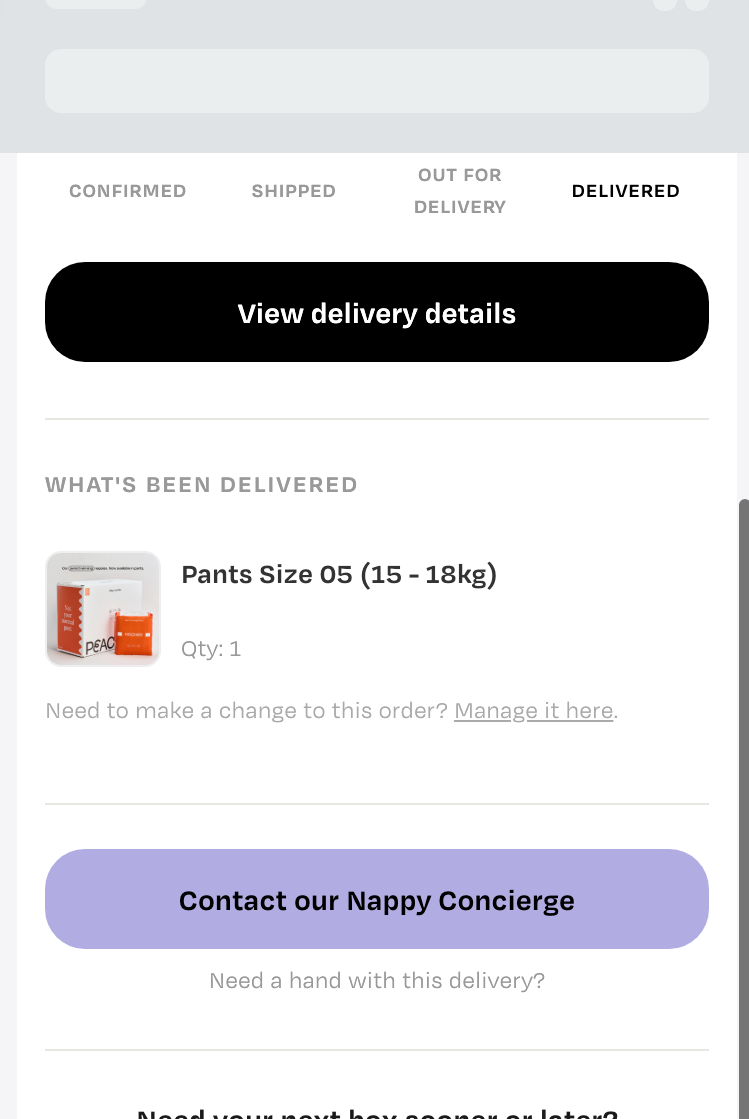
- Open the email you got when the box was delivered under subject line "Your Peachies have been delivered 🍑" – there's a 'Manage it here' link below the product name, that takes you straight to your return portal for that order, with your order details already filled in.
- Scroll down and select 'Create Return’.
- Choose a resolution option: Refund to Original Payment Method or Exchange Product(s).
- Select the item(s) you’d like to return (Subscription Box).
- Click 'Download Label' or enter your email to have it sent to you.
- Drop off the packs at the nearest Post Office.
- Email [email protected] with order number and amount of packs sent back in case you need your box soon.
- If we do not hear from you, we'll wait for the box to arrive and be inspected at the warehouse before uploading the £11 per pack sent. Please note that this may delay the exchange process by 3 days.
If you’re having trouble locating your delivery email, placed your order before August 2026 and can’t see the ‘Manage it here’ link, or run into any other hiccups, just pop us a message at [email protected] and we’ll be happy to help.